
Submit IT support requests through WhatsApp.
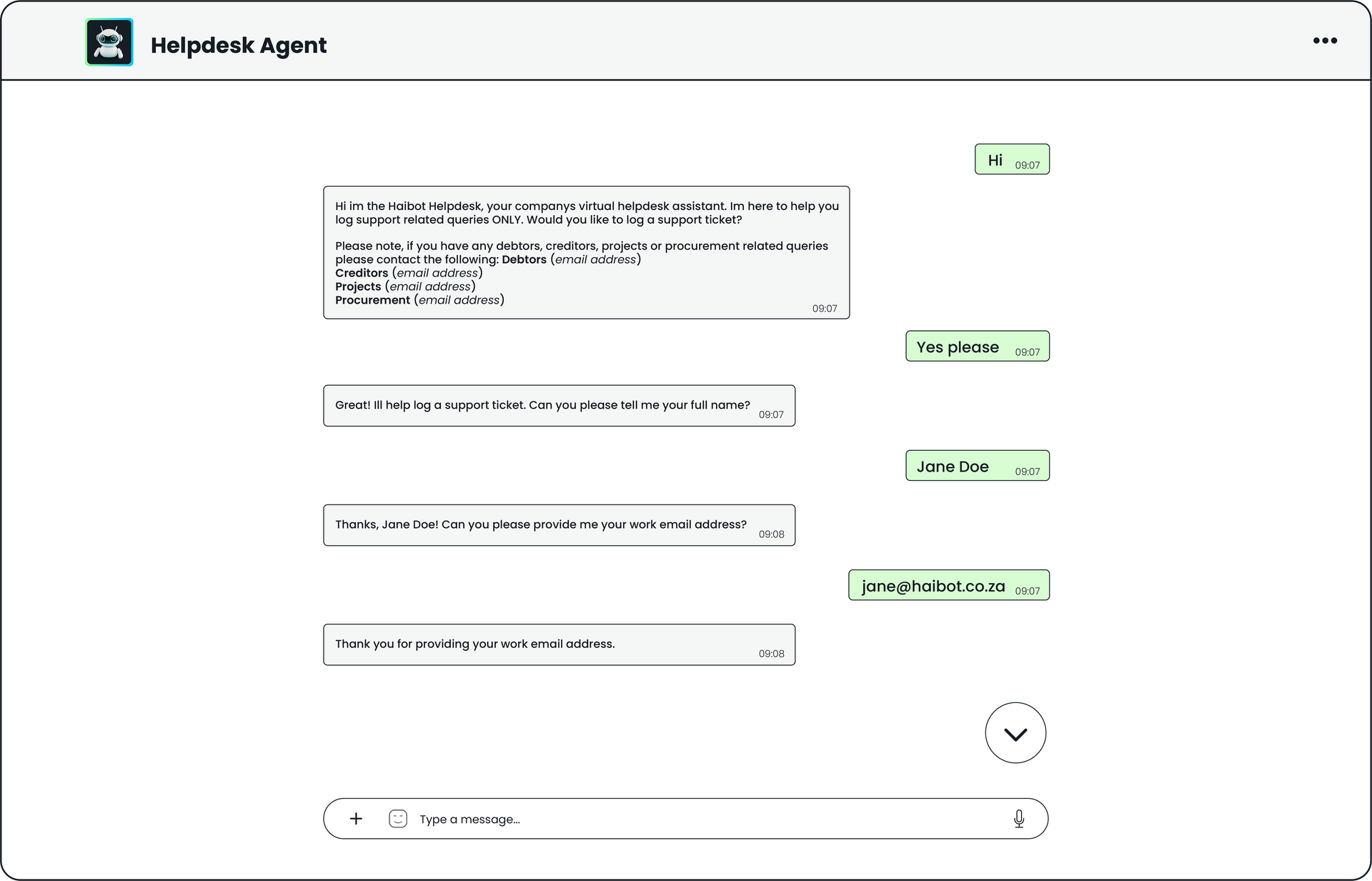
This module allows users to submit IT support requests through WhatsApp using a conversational agent. The agent collects four required details, name and surname, email address, company name, and reason for logging a ticket. Users receive automatic updates when their ticket is assigned and whenever the status changes. When a ticket is closed, the user is prompted to complete a satisfaction survey.
What you get with our Helpdesk Agent
Ticket Logging
Ask a question in WhatsApp, get an immediate response. no portals, no searching, no waiting.
Complete Tickets
Every response is drawn from a single, centralised knowledge base with role-based access controls — so everyone gets the right information, every time.
Fast Resolution
The knowledge base updates automatically, so your team is never working with outdated information.
Status Updates
The knowledge base updates automatically, so your team is never working with outdated information.
Self-Service
Administrators can upload additional resources like pricing, SLAs, and product details, giving the agent the depth to handle virtually any sales query.
Personal Experience
Administrators can upload additional resources like pricing, SLAs, and product details, giving the agent the depth to handle virtually any sales query.
Reduced Overhead
With information consolidated in one place, your team spends less time searching and more time closing deals.
Improved UX
With information consolidated in one place, your team spends less time searching and more time closing deals.
How it works
Capture Request
The agent guides users through a structured conversation to collect the required information, such as name, email address, company name, and the reason for the ticket, with relevant attachments supported where needed.
Create Ticket
Once confirmed, the module automatically generates a structured support ticket in Freshservice and sends confirmation to the user in WhatsApp, followed by email confirmation for their records.
Stay Updated
Users receive automatic WhatsApp notifications when the ticket is assigned or its status changes, and once the ticket is closed they are prompted to complete a satisfaction survey.
Module Key Capabilities
Input Collection
Initiates user interaction through a communication application and gathers the required information via a guided conversational flow to enable support request creation.
Input Collection
Analyses and organises user responses to correctly identify and validate required details, ensuring information is complete and correctly classified.
Ticket Creation
Captures and structures the collected information into a standardised format suitable for creating a support ticket in the helpdesk system.
Ticket Return
Returns the ticket reference and relevant details to the user via the communication application, confirming successful submission and enabling further tracking or follow-up.
Transaction Logging
Records all actions and system events to support auditing, traceability, and compliance requirements.
Exception Handling
Detect, track, and manage errors or anomalies, ensuring smooth processing and quick resolution of issues.
Full module spec.
Download our full set of details for the Helpdesk Support Agent module.
Module Enquiry
We will get back to you as soon as possible.
Please try again later.
Frequently Asked Questions
-
What are the module setup requirements?
A configured and active communication application is required to enable user messaging and support the conversational intake process for submitting support requests. We would need API access to your support ticket system.
The helpdesk system must have the necessary data fields configured and aligned to receive requester details and issue information, ensuring support requests are created accurately and consistently.
-
What does the module do?
The Helpdesk Module automates the intake and logging of IT support requests by capturing user input through a communication application, interpreting responses, and converting them into structured support tickets. The module ensures reliability and consistency through built‑in logging, exception handling, and access controls.
-
What is the purpose of this module?
The purpose of this module is to provide a streamlined, fully automated channel for users to submit and manage IT support requests directly through WhatsApp. Instead of navigating portals, forms, or email-based intake processes, users engage in a simple conversational flow where the module collects four essential details required for creating a high-quality support ticket: name and surname, email address, company name, and the reason for logging a ticket. By structuring the intake process into clear, sequential prompts, the module ensures that each ticket begins with complete and accurate requester information, eliminating the common back-and-forth between support teams and end users.
Other Modules You Might Like

Sales Dashboard
A ready‑to‑use analytics experience that brings all your sales performance data...
Commission Dashboard
Automate, standardize, and simplify the entire commission reporting process...
Sales Knowledge Agent
This module eliminates the time your sales team spends hunting for information...