
Real‑time, end‑to‑end views of commission performance.
The Commission Dashboard Module provides a real‑time, end‑to‑end view of commission performance across company, customer, and account‑manager levels. Instead of consolidating spreadsheets or manually validating figures, users get instant, ERP‑aligned insights through an interactive reporting environment.
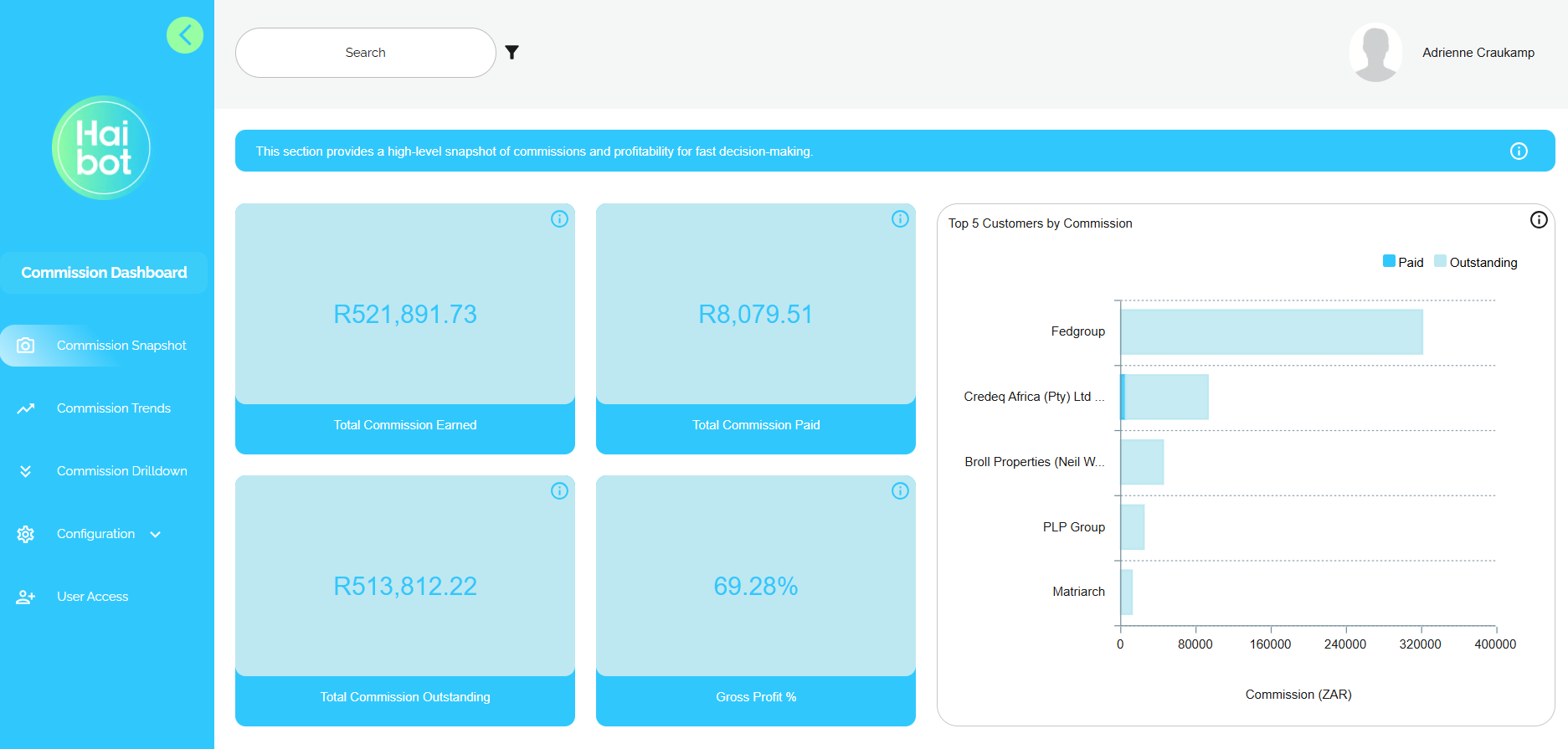
What you get with our Commission Dashboard
Accurate Data
Automated data retrieval and built‑in validation ensure that all commission calculations match ERP source data and your defined business logic, eliminating disputes and manual rechecks.
Time Savings
Removes manual consolidation, spreadsheet maintenance, and repetitive calculations, enabling finance and operations teams to close faster and focus on high‑value analysis.
Transparency
Interactive dashboards offer clear visibility across company, customer, and account manager levels so teams can easily understand how commissions were generated and what is driving performance.
Strong Governance
Every mapping change, data pull, and consolidation step is logged for compliance and audit requirements, supporting accountable and traceable commission management.
How it works
Retrieve Data
Automatically pulls live financial and transactional data from the connected ERP system at predefined intervals, ensuring commission reporting is always based on the latest source data.
Consolidate Data
Combines all relevant datasets into a single, reliable source of truth, reducing manual errors and ensuring consistent commission reporting across the business.
Analyse Performance
Interactive dashboards such as Commission Snapshot, Trends, and Drilldown give users instant visibility into commission accuracy, profitability, and performance, from high-level summaries down to transaction detail.
Module Key Capabilities
Data Retrieval
Automatically pulls financial and transactional data from the connected ERP system at predefined intervals, ensuring that calculations and reports are always based on the latest information.
Data Consolidation
Combines all relevant datasets into a single, reliable source of truth. This ensures accurate reporting and reduces the risk of manual errors.
Interactive Dashboarding
Offers intuitive dashboards such as “Commission Snapshot,” “Trends,” and “Drilldown” views. These visual tools help users analyse performance, validate commissions, and understand the underlying data with ease.
Exception Handling
Integrates with Freshservice to detect, track, and manage errors or anomalies, ensuring smooth processing and quick resolution of issues.
Mapping Management
Maintains dynamic relationships between payment types, customers and commission structures. This enables flexible commission rules that adapt to different businesses.
Transaction Logging
Records all actions and system events to support auditing, traceability, and compliance requirements.
User Access
Provides controlled, role-based access to ensure users only view and manage the information relevant to them, supporting data security and governance.
Full module spec.
Download our full set of details for the Commission Dashboard module.
Module Enquiry
We will get back to you as soon as possible.
Please try again later.
Frequently Asked Questions
-
What are the module setup requirements?
An active, compatible connection to the ERP system must be configured to enable the module to retrieve, process and update financial and customer data. This configuration includes setting up API credentials, enabling the required endpoints and confirming successful communication between the module and the ERP platform.
Data extracted from the ERP system must be aligned with the approved module design, including data structures, field definitions, formats, business rules, and underlying assumptions. This alignment ensures data consistency, accuracy, and reliable processing across all module logic, workflows, and downstream outputs.
-
What does the module do?
The module automates commission tracking by pulling data from the ERP system, applying mapping rules, and presenting results in real‑time dashboards, while ensuring integrity through logging, exception handling, and access controls.
-
Who is the module for?
This module equips finance teams, sales leaders, and operations managers to quickly answer key questions, Are commissions correct? Who is performing well? Which accounts are profitable? Where do discrepancies occur?, all without manual effort or data manipulation.
Other Modules You Might Like

Helpdesk Agent
A Streamlined, fully automated channel for users to submit & manage IT support requests...
Sales Dashboard
A ready‑to‑use analytics experience that brings all your sales performance data...
Sales Knowledge Agent
This module eliminates the time your sales team spends hunting for information...