

Designed to simplify and standardize sales reporting
A ready‑to‑use analytics experience that gives teams instant visibility into sales results across your company, customer, and account manager levels, without the complexity of manual reporting.
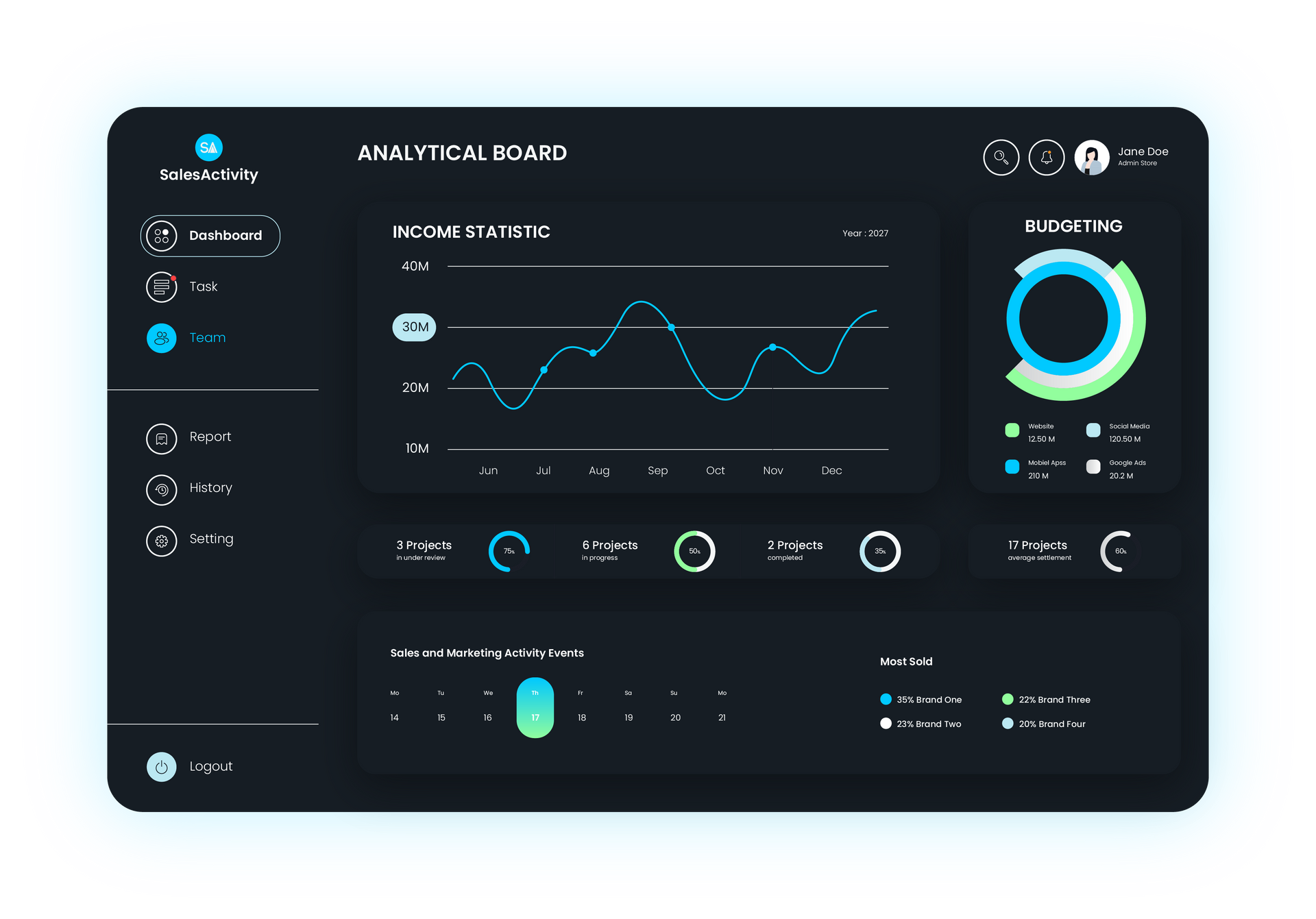
What you get with our Sales Dashboard
Accurate Data
Sales metrics are automatically validated against CRM source data and standardized business logic, ensuring consistent and reliable results.
Accurate Data
Sales metrics are automatically validated against CRM source data and standardized business logic, ensuring consistent and reliable results.
Accurate Data
Sales metrics are automatically validated against CRM source data and standardized business logic, ensuring consistent and reliable results.
Accurate Data
Sales metrics are automatically validated against CRM source data and standardized business logic, ensuring consistent and reliable results.
Accurate Data
Sales metrics are automatically validated against CRM source data and standardized business logic, ensuring consistent and reliable results.
Accurate Data
Sales metrics are automatically validated against CRM source data and standardized business logic, ensuring consistent and reliable results.
How it works
Retrieve Data
Automatically pulls transactional data from the connected CRM at predefined intervals.
Consolidate Data
Automatically pulls transactional data from the connected CRM at predefined intervals.
Analyse Performance
Automatically pulls transactional data from the connected CRM at predefined intervals.
Module Key Capabilities
User Access Management
Data Consolidation
Integrates with Freshservice to detect, track, and manage errors or anomalies, ensuring smooth processing and quick resolution of issues.
Automatically pulls transactional data from the connected CRM system at predefined intervals, ensuring that calculations and reports are always based on the latest information.
Provides controlled, role-based access to ensure users only view and manage the information relevant to them, supporting data security and governance.
Combines all relevant datasets into a single, reliable source of truth. This ensures accurate reporting and reduces the risk of manual errors.
Data Retrieval
Exception Handling
Data Retrieval
Automatically pulls transactional data from the connected CRM system at predefined intervals, ensuring that calculations and reports are always based on the latest information.
Data Retrieval
Automatically pulls transactional data from the connected CRM system at predefined intervals, ensuring that calculations and reports are always based on the latest information.
Data Retrieval
Automatically pulls transactional data from the connected CRM system at predefined intervals, ensuring that calculations and reports are always based on the latest information.
Data Retrieval
Automatically pulls transactional data from the connected CRM system at predefined intervals, ensuring that calculations and reports are always based on the latest information.
Data Retrieval
Automatically pulls transactional data from the connected CRM system at predefined intervals, ensuring that calculations and reports are always based on the latest information.
Data Retrieval
Automatically pulls transactional data from the connected CRM system at predefined intervals, ensuring that calculations and reports are always based on the latest information.
Data Retrieval
Automatically pulls transactional data from the connected CRM system at predefined intervals, ensuring that calculations and reports are always based on the latest information.
Data Retrieval
Automatically pulls transactional data from the connected CRM system at predefined intervals, ensuring that calculations and reports are always based on the latest information.
In Depth Module Spec
This is a paragraph. Writing in paragraphs lets visitors find what they are looking for quickly and easily.
Module Enquiry
Contact Us
We will get back to you as soon as possible.
Please try again later.
Frequently asked questions
Title or Question
Describe the item or answer the question so that site visitors who are interested get more information. You can emphasize this text with bullets, italics or bold, and add links.Title or Question
Describe the item or answer the question so that site visitors who are interested get more information. You can emphasize this text with bullets, italics or bold, and add links.Title or Question
Describe the item or answer the question so that site visitors who are interested get more information. You can emphasize this text with bullets, italics or bold, and add links.Title or Question
Describe the item or answer the question so that site visitors who are interested get more information. You can emphasize this text with bullets, italics or bold, and add links.Title or Question
Describe the item or answer the question so that site visitors who are interested get more information. You can emphasize this text with bullets, italics or bold, and add links.
Other Modules You Might Like
Commission Dashboard
Dashboard | All Industries | Sales
IT Support Helpdesk Agent
Agent | All Industries | IT
Sales Knowledge Agent
Agent | All Industries | Sales